
Does Skyline™ OS Make Route Planning Easier on the 2026 Harley-Davidson® Road Glide® for Elkton, MD Riders?
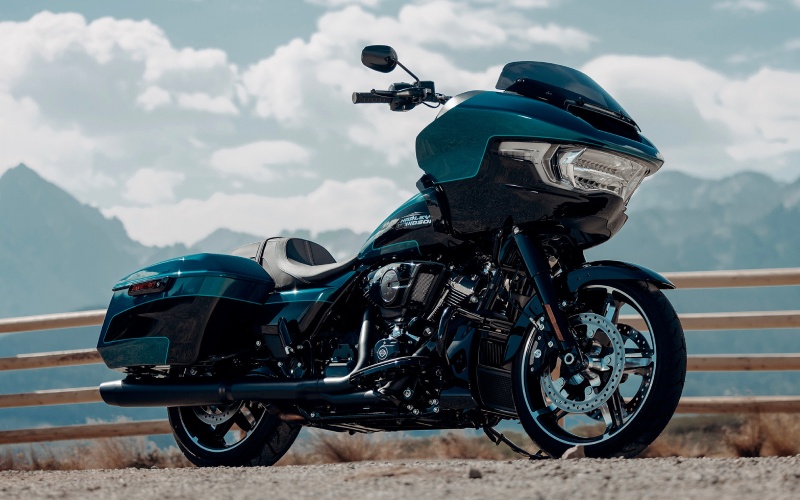
Eisenhauer's Chesapeake Harley-Davidson® - Does Skyline™ OS Make Route Planning Easier on the 2026 Harley-Davidson® Road Glide® for Elkton, MD Riders?
Road planning used to mean juggling a phone, a paper map, and a separate GPS unit—hardly ideal when your attention should stay on the horizon. On the 2026 Harley-Davidson® Road Glide®, Skyline™ OS unifies navigation, audio, and phone connectivity on a large full-color display, reducing distractions while giving you route clarity at a glance. For riders who start in Elkton, MD and thread together back roads and highway links, the system’s logical menus and smooth transitions help you focus on the ride, not the interface.
Because it supports Apple CarPlay integration, Skyline™ OS lets you access familiar mapping apps and voice-guided directions through your headset. That means planning a scenic loop, saving a café waypoint, or adjusting for a detour can all be handled with fewer taps and with clear on-screen prompts. The Road Glide’s cockpit places the screen in a natural sightline within the Sharknose fairing, so it is easier to scan data and return attention forward. Add the bike’s stable chassis and confident power delivery, and your real-world touring rhythm becomes more fluid from the first mile to the last.
Riders often ask how navigation feels at speed or when daylight turns to dusk. The display’s crisp, high-contrast graphics are tuned for readability, with day and night modes that maintain legibility without straining your eyes. Route guidance remains steady even when your phone signal drops, and the platform supports audio prompts that cut through wind noise via your Bluetooth headset. The goal is simple—deliver information clearly and consistently so you can keep your inputs calm and precise on busy roads or unfamiliar lanes.
To get the most from Skyline™ OS on the 2026 Harley-Davidson® Road Glide®, start by personalizing the interface. Set your preferred layout, confirm your headset pairing, and test your chosen navigation app side by side with the built-in tools. Then build a few routes with fuel and photo stops to see how the system presents upcoming turns and trip data. Once your muscle memory develops, you will move between screens with minimal effort, which is exactly what you want while riding.
- Pair your devices: Connect your phone and headset before rolling out, and confirm voice control is active.
- Customize your view: Choose map orientation and data tiles that match how you read the road.
- Save key stops: Add fuel, food, and scenic points so reroutes keep your priorities intact.
- Plan offline: Download maps for stretches with weak coverage to keep guidance reliable.
- Refine audio levels: Balance music and prompts so directions are clear without overpowering.
Frequently Asked Questions:
Can I use voice control for routing updates?
Yes. With a compatible headset, you can use voice functions to adjust routes or search for destinations, reducing t he need to interact with the screen while underway.
Does Apple CarPlay work wirelessly?
Skyline™ OS supports both wired and wireless Apple CarPlay connectivity, giving you flexibility based on your charging and headset preferences.
How does the display handle glare or night riding?
The full-color TFT uses high-contrast graphics with day and night modes to maintain legibility in bright sun and after dark, helping you scan data quickly and return your eyes to the road.
Is audio strong enough at highway speeds?
The fairing speakers and amplifier are tuned for clarity on tour. For the best experience, many riders add a Bluetooth headset so prompts and calls remain crisp even when wind noise rises.
Eisenhauer's Chesapeake Harley-Davidson® is proud to support riders refining their touring setups with practical, high-value guidance on navigation, audio, and safety tech. We are a regional resource serving Aberdeen, Forest Hill, and Elkton, and we are ready to help you tailor the Road Glide’s cockpit to your routes and preferences. When your planning tools work as smoothly as your chassis and engine, every trip becomes more focused, efficient, and enjoyable.